

Top 7 Best Trade Copier USA (2026 Reviews & Comparison)

BestBrokers’ July 2026 report says the USA ranks second globally with 335,000 active traders, so a few seconds of delay in trade execution matters here. That’s where the trade copiers come in.
But the question is how to get the best trade copier USA trading? Look for latency lower than 100 ms and more platform compatibility while choosing a trade copier.
However, in this blog post, we have showcased 7 top-notch trade copier reviews for USA traders and a guide to choosing the best copier. So, let’s dive deeper.
What is a Trade Copier?
A trade copier is a trading software that automatically duplicates trades from one account to another in real time. In the USA, it’s widely used to copy Telegram signals into MetaTrader or cTrader.
Nowadays, from beginner retail traders to seasoned experts, signal providers, and institutional speculators use trade copiers to automate trading and avoid human error.
How Does Trade Copier Work?
A trade copier works by receiving trade signals from Telegram to trading platforms like MetaTrader and cTrader. You need to connect the master account or Telegram channel from where you want to copy the trades and the trading platform for trade execution.
Trades are executed in real-time based on preset configurations, such as lot size, risk management, and other risk-reward settings.
Why USA Traders Use Trade Copier?
USA traders use trade copiers to automate trade execution, reduce latency, and mirror institutional strategies without manual input. Among the 335,000 active Forex traders in the USA, a trade copier helps facilitate faster trade execution and avoid slippage.
According to Best Broker data, Gain Capital Holdings recorded the largest Forex deposit sum of around $211.092 million in April 2025. Below are all the reasons why US traders use Forex trade copiers:
- Hands-Free Trading: 9-to-5 job holders and busy professionals can enjoy part-time trading without any manual input by using a trade copier.
- Leverage Institutional Strategies: By using a signal copier, you can easily copy institutional expert strategies without starting from scratch.
- Regulation & Compliance: Platform compatibility with the trade copier helps to comply with regulatory requirements from the CFTC and NFA.
- Avoid Emotional Decisions: Using a trade copier helps eliminate emotional pressure while placing a trade.
- Faster trade Execution: In the $2.4 quadrillion forex market, even a millisecond of delay can impact the result. But thanks to the trade signal copier for faster execution.
- Instant Access to Expertise: Using a trade copier, you can have instant access to expert trading strategies, which help to learn and develop trading skills as well.
- 24/7 Market, without Time Zone Issue: USA traders can copy pro traders’ strategies from Tokyo or London without waiting to match the time zone.
Explore the 7 Best Trade Copiers USA Market
Here is a detailed look at the top 7 US-friendly forex copy trading tools:
1. trade2sync: Overall Best VPS-Free Cloud Trade Copier
trade2sync is a complete cloud-hosted copy trading software for automating Telegram trade alerts. Within 15 milliseconds, it can execute Telegram signals to 5 different trading platforms, such as MT4, MT5, cTrader, DXTrade, and TradeLocker.
According to Forex Peace Army, trade2sync trade copier was formerly known as Telegram Signal Copier (TSC), a desktop-based copier. But now it offers advanced AI-powered ParseXAI for automatic executions. It also comes with some prop-firm-friendly features like entry delay, dynamic balance, news filter, etc., making copy trading profitable without constant monitoring.
This trade copier is easy to set up within a few seconds for hands-free trade execution. It offers advanced AI-powered ParseXAI features for customized trade execution and prop-firm-friendly features like entry delay, dynamic balance, news filter, etc., making copy trading profitable without constant monitoring.
Whether it’s a text signal or an image-type signal, or the signal provider sends updates or edits the signals, trade2sync can copy and update the trades for you. And with advanced risk management setups like SL/TP modification, risk-reward setups, and other smart adjustments for profit-lock mechanisms, trade2sync can copy every trade signal across forex, gold, indices, and crypto markets.
The best part of this copy trading software is that it comes with a native mobile app, making the copier dashboard accessible from any device, any place, any browser. No Meta API, no additional VPS charge- only trade automation with a complete tracker at your hand.
| Pros | Cons |
|---|---|
| 24/7 dedicated support team | Only compatible with SSF VIP signal channels |
| Easy to set up & use | Works with MT4 and MT5 only |
| Advanced risk management settings | |
| Works on Windows and Mac (using VPS) | |
| Plug-and-play choice for SSF VIP users | |
| Complete trackable dashboard |
2. SureShotFX Trade Copier: Best Copier for MetaTrader Platforms
SureShotFX Trade Copier (SSF Trade Copier) is one of the best signal copiers for SureShotFX signals. Whether it’s Forex, Gold, indices, or any other instruments, the SSF copier can easily copy and place the trade on behalf of traders.
With more than 53K Telegram subscribers, SSF Copier is leading the USA trade copy service. Without any manual input, this automatic trade copier can copy SureShotFX signals from the SSF Telegram channels.
This MetaTrader trade copier tool mainly helps the SureShotFX signal followers to execute trades with a faster execution speed that eliminates trade slippage.
Best For:
- SSF Signal Follower- looking for smart automation, can enjoy an AI copy trading experience.
- Beginner Retail Traders- looking for a complete package or automated solution for part-time trading without manual input.
- Expert Traders- finding solutions for testing strategies and learning.
| Pros | Cons |
|---|---|
| Advanced risk management setups | Only compatible with SureShotFX Telegram channels. |
| 24/7 support team | |
| Works on Windows and Mac (Using VPS) | |
| Faster trade execution, reducing slippage | |
| Plug and play choice for SSF users. |
3. Social Trade Copier: Forex Copy Trading without Latency
Social Trade Copier is the fastest remote trade copier solution for USA Forex traders. It is compatible with MT4, MT5, cTrader, and DXTrade platforms.
Social trade copier helps in a real-time trade copy solution from master accounts to slave accounts without any latency. And in the fastest-moving Forex market, a millisecond of time delay can cause great loss, you know.
The best part of Social Trade Copier is that you can modify SL-TP and other risk management settings in real time.
It is easy to use, just install and set up the Copier EA in the platform, and you’re good to go with copy trading. Even it allows cross-platform trading to mirror trades between trading platforms and is compatible with any USA brokers.
Best For:
- Signal Providers- testing and mirroring trading strategies.
- Account Managers- backtesting and managing multiple trading accounts.
- Pro Traders– trading across multiple accounts and looking for an automated copy trading solution.
| Pros | Cons |
|---|---|
| Flexible remote trade copier | Might require VPS or cloud hosting |
| Works across multiple accounts | |
| Best copier for USA account managers | |
| Compatible with various brokers | |
| Supports multiple client accounts |
4. FX Blue Trade Copier: Best Local Trade Copier
Fx Blue is a local trade copier, which means you need the master account and the slave accounts to be run on the same computer or VPS. That is why FX Blue is called a personal trade copier.
This trade copier USA is free to use and supports only MetaTrader 4 and MetaTrader 5. It also comes with custom lot size settings and risk management setups.
The best part of FX Blue trade copier is that it can copy trades at lightning-fast speed across multiple accounts.
Best For:
- Expert Traders- looking for an automatic solution to copy trades to multiple accounts.
- Multiple Account Managers- finding a trade copier USA to place and manage trades on multiple accounts without manual input.
- Fund Managers- managing investment funds and managing multiple client accounts for strategy testing.
| Pros | Cons |
|---|---|
| Ultra-fast trade execution | Works on the local network only |
| Compatible with MT4 & MT5 | No built-in analytics |
| Free to use | Not remote copying available |
| Best for fund managers and signal testers |
5. Duplikium Trade Copier: Best for Businesses
Duplikium is a reliable trade copier compatible with MT4, MT5, cTrader, DXTrade, etc. It claims to have ultra-low latency in trade execution.
Duplikium is a cloud-based trade copier without any PC or software. The company is registered in Switzerland, but because of being web-based, mirror trading with Duplikium is possible remotely.
Duplikium works on the servers like Frankfurt, Singapore, London, the US, Eastern, etc., server locations, and helps in high-frequency copy trading.
Best For:
- Multiple Account Managers– managing multi-master accounts or multi-slave accounts.
- Mirror Trading-
- Money Managers– looking for solutions to handle and mirror trades for multiple clients
| Pros | Cons |
|---|---|
| Ultra-low latency | Expensive pricing |
| Cloud-based trade copier | Does not support Telegram signal copy |
| Suitable for managing many accounts | |
| Best for money managers and brokers |
6. Forex Copier: Trade Copier for MetaTrader Only
Forex Copier is a copy trading site compatible with multiple MetaTrader accounts. Using Forex copier, you can duplicate other expert and successful traders’ strategies and even resell the EAs by copying trading strategies to your account.
This trade copier can be helpful for USA signal sellers. By duplicating a successful trader’s strategy, you can resell the signals easily. For this, you need to connect the clients’ accounts to your account to send the signals to your client account seamlessly.
Multiple accounts can be connected, and the trade copier can mirror trades across these accounts using Forex Copier.
However, Forex Copier needs to be set on local copying, meaning it needs to be on the same PC or VPS for seamless integration and trade copying.
Best For:
- Multiple Account Managers- looking for solutions to manage multiple client accounts at the same time.
- Signal Sellers- thinking about reselling signals with a copy trading service.
| Pros | Cons |
|---|---|
| Best for Forex mirror trading | Not suitable for signal followers |
| Suitable for Forex copy trading | Higher upfront price |
| User-friendly interface | |
| Suitable for mirroring multiple accounts | |
| Best for Signal resellers |
7. Copygram Trade Copier: Flexible Copier for Trade Mirroring
Copygram is a signal copier from Telegram channels to trading platforms. It comes with advanced features and seamless integration to different platforms.
To start copy trading with Copygram, you need to add your trading account to Copygram and create a room where you need to customize all the settings for sender and receiver accounts. And then, you can monitor your automatic trades.
Copygram might feature a bit complex settings to start, but it offers seamless integration. You can copy Telegram to MetaTrader or MetaTrader to MatchTrader accounts.
It offers an all-in-one platform for managing multiple accounts. And premium 24/5 customer support is available.
Best For:
- Multiple Account Managers- looking for solutions to mirror trades across platforms.
- Forex Investors– want to copy successful traders’ strategies and copy them into their accounts.
- Speculators– checking and monitoring trading strategies, and for backtesting purposes
| Pros | Cons |
|---|---|
| Best for portfolio management | Suitable for multiple account management |
| Not suitable for retail traders | Premium support team |
| Best for Forex mirror trading | |
| Beginner-friendly |
Feature Comparison Table
| Trade Copier USA | Platform Compatibility | Best for | Best User Type |
|---|---|---|---|
| Telegram Signal Copier | MT4, MT5, cTrader, DXTrade, TradeLocker | Cloud copy trading | Busy professionals, business owners, and copy traders |
| SureShotFX Trade Copier | MT4, MT5 | Flexible copy trading | MetaTrader users |
| FX Blue Copier | MT4, MT5 | Personal account mirroring | Beginners, backtesters |
| Duplikium | MT4, MT5, cTrader | Institutional-grade scalping | Fund managers |
| Copygram | MT4, MT5, cTrader, DXTrade, TradingView | Strategy marketplace and trade copying | Social traders |
| Forex Copier | MT4, MT5 | Signal selling & copying | Signal sellers, multiple account managers |
| Social Trade Copier | MT4, MT5 | Multi-broker remote copying | Pro traders, signal providers |
How to Choose the Best Trade Copier for USA Traders
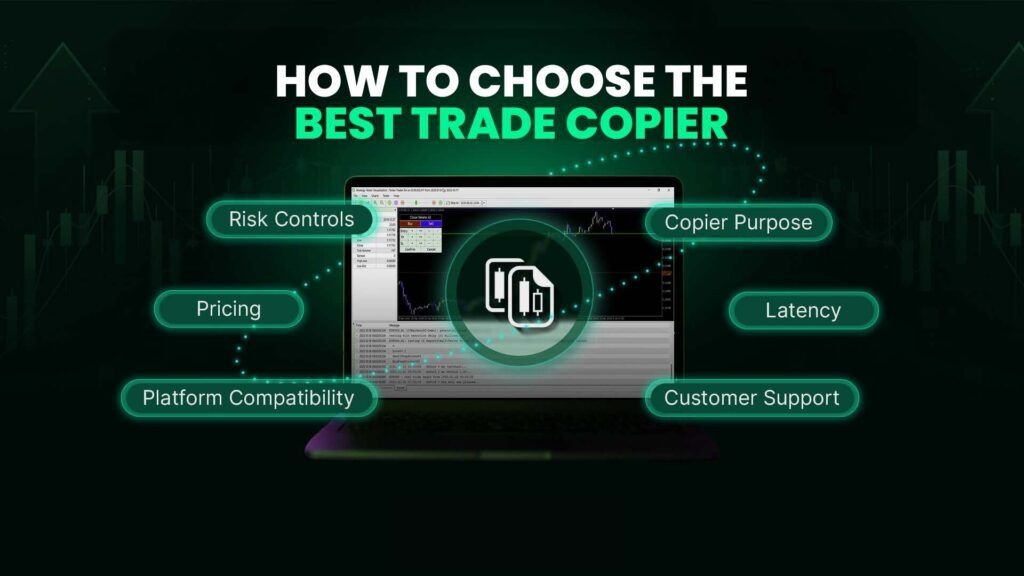
Choose a copier with under 100 ms latency, full compatibility with your broker’s platform, and advanced risk controls. Here are all the factors to look for before choosing a trade copier USA:
Copier Purpose
Before picking up a trade copier in the USA, make sure you know the purpose of your copier. Whether you want to copy Telegram signals, manage multiple accounts, or mirror trade across platforms.
Based on your copy trading purpose and use, choose the best trade copier.
Latency
Latency, or trade execution speed, plays a crucial role for USA traders. A millisecond of delay in execution can impact the result.
So, to cope with the fast-moving financial markets in the USA, make sure to pick a copier with no more than 100 ms latency in trade execution after copying.
Platform Compatibility
Check whether the copier is compatible with your trading platform or not. Most of the trade copiers are compatible with MetaTrader 4 or MetaTrader 5. But other platforms like cTrader, DXTrade, etc., are not compatible in some cases. Make sure to check this.
Risk Controls
Select a copier with proper risk control settings and lot management options for your account safety and capping losses.
Pricing
Go for the best pricing according to your budget. But make sure the copier you choose offers advanced risk features, along with some other cost-efficient options, such as the cloud copier that needs no additional VPS.
Regulatory & US Broker Compatibility
If you are using a copier to manage others’ accounts, make sure the copier works with NFA/CFTC-compliant US brokers such as IC Markets, Interactive brokers, IG US, OANDA US, etc.
Customer Support
A customer support system is crucial. Make sure the copier you choose has a responsive 24/7 support system with real human beings so that you can ask for any assistance on time.
Who Can Use Trade Copiers?
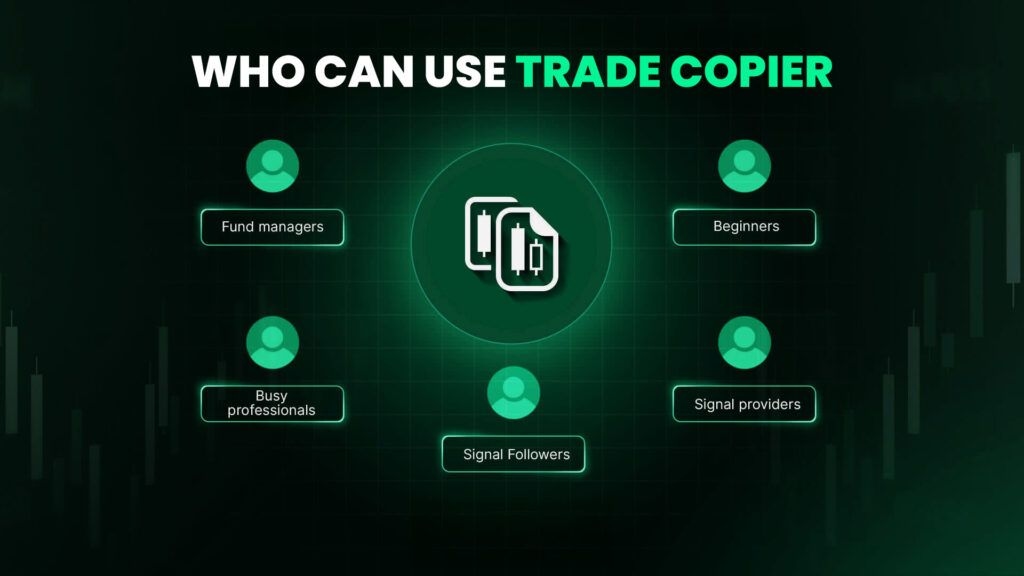
From beginner retail traders to expert pros, anyone can use trade copiers, such as
- Beginners learning and practicing trading
- Busy professionals who don’t have time to monitor charts all day
- Fund managers scaling across accounts
- Signal providers expanding their reach and reselling trade signals
- Signal Followers trading using signals and looking for automated trading solutions
Final Words
Hopefully, choosing the best trade copier USA won’t be overwhelming anymore. Whether it’s for trade automation or mirror trading accounts, these 7 trade copiers listed above are the best and most reliable with USA regulatory compliance and other aspects.
Make sure to choose a trade copier based on the risk management features, pricing and customer support. Nowadays, some cloud-based trade copier tools are available that do not need any additional VPS or API costs. So, try to look for that type of copier for an enhanced copy trading experience.
However, SSF VIP signal followers can try the SSF copier tool for SSF signal automation and trading on the go. Contact the SSF Support team to learn more about the copier.
FAQs